Last Updated: 2026
Maintenance teams that rely on spreadsheets, whiteboards, and memory lose an average of 20 hours per week on scheduling errors, missed preventive tasks, and duplicate work orders. CMMS software solves this by centralizing every work order, asset record, and maintenance schedule into one system that tracks deadlines, assigns technicians, and sends reminders automatically.Solutions
If you manage maintenance for a facility, plant, or fleet, you already know the pain. Preventive tasks get skipped. Emergency repairs pile up. Technicians show up without the right parts. And nobody can tell you whether a piece of equipment is overdue for service.
CMMS software changes that. This guide covers how it works, what to look for, and how teams use it to cut downtime and get real control of their maintenance operations.
Table of Contents
- What Is CMMS Software?
- Why Maintenance Scheduling Breaks Down Without CMMS
- How CMMS Software Transforms Maintenance Scheduling
- 6 Ways CMMS Improves Maintenance Efficiency
- CMMS vs. Spreadsheets: Side-by-Side Comparison
- Common Mistakes When Implementing CMMS
- Frequently Asked Questions
What Is CMMS Software?
CMMS software is a centralized platform that manages maintenance operations, including work orders, preventive maintenance schedules, asset records, and inventory tracking. It replaces spreadsheets, paper forms, and disconnected systems with a single source of truth for everything related to equipment upkeep.
The core function is straightforward: give maintenance teams one place to see what needs attention, when it needs it, and who is responsible. According to a 2025 report by Maintenance World, organizations using CMMS reduce unplanned downtime by an average of 28 percent compared to those relying on manual tracking methods.
Modern CMMS platforms have shifted from on-premise server installations to cloud-based systems. That shift matters. Cloud CMMS means your team can access work orders, update task status, and log repairs from a phone or tablet on the shop floor, not just from an office desktop.
Stat: Organizations using CMMS software reduce unplanned downtime by an average of 28 percent compared to manual tracking methods (Maintenance World, 2025).
Why Maintenance Scheduling Breaks Down Without CMMS
Most maintenance teams do not fail because they lack skilled technicians. They fail because they lack a system. Here is what happens when scheduling depends on spreadsheets and memory.
Missed preventive maintenance. Without automated reminders, PM tasks get pushed back until equipment breaks. Reactive repair costs run three to five times higher than preventive work, according to the U.S. Department of Energy.
Duplicate work orders. Two supervisors assign the same task to different technicians. Neither knows the other already handled it.
No priority visibility. Every request looks equally urgent. Teams cannot tell which asset is critical to production and which can wait.
Siloed information. The parts count lives in one spreadsheet. The asset history sits in a binder. The schedule is on a whiteboard that nobody has updated in weeks.
These problems compound. Missed PMs lead to breakdowns. Breakdowns lead to overtime. Overtime leads to burnout. And the cycle repeats.
Warning: Reactive repair costs run three to five times higher than preventive maintenance. Every missed PM is a future emergency repair in disguise.
How CMMS Software Transforms Maintenance Scheduling
CMMS software gives structure to what was previously left to guesswork and habit. Here is how it changes day-to-day maintenance planning.
Automated PM Scheduling
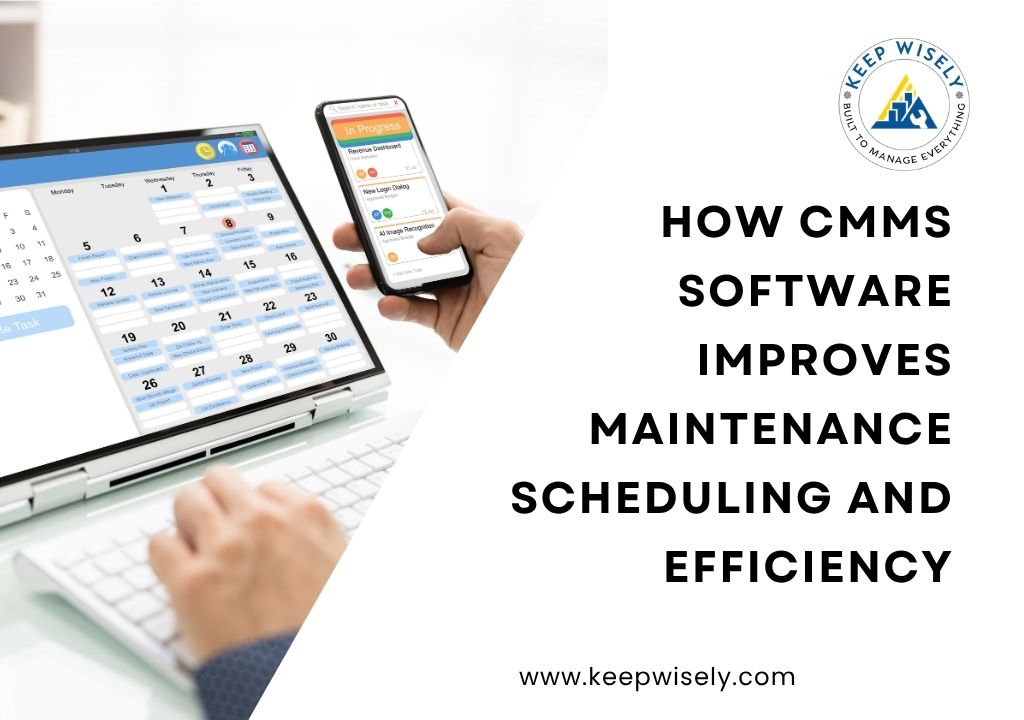
Instead of manually entering recurring tasks, you set a PM schedule once. The CMMS generates work orders based on calendar intervals, meter readings, or condition triggers. A compressor that needs filter changes every 500 run hours gets a work order at 495 hours automatically. No one has to remember.
Smart Work Order Assignment
When a new work order comes in, the CMMS matches it to the right technician based on availability, skill set, and location. It also checks parts inventory to confirm the required materials are in stock before assigning the job.
Real-Time Priority Management
The CMMS ranks work orders by priority level. Critical assets that halt production when they fail get flagged. Routine tasks stay in the queue. Supervisors see the full board at a glance and can adjust priorities as conditions change.
Deadline Tracking and Alerts
Overdue tasks turn red. Approaching deadlines trigger notifications to the assigned technician and their supervisor. Nothing slips through the cracks because the system watches what humans cannot.
Key Takeaway: CMMS replaces memory-based scheduling with rule-based automation. You set the parameters once, and the system keeps every PM on track without manual intervention.
6 Ways CMMS Improves Maintenance Efficiency
Efficiency is not about working faster. It is about cutting wasted effort. CMMS software targets six specific areas where teams lose time and money.
1. Reduces Unplanned Downtime
Planned maintenance takes a fraction of the time that emergency repairs demand. By keeping PM schedules on track, CMMS prevents the unexpected failures that stop production lines. According to a 2025 study by Plant Engineering, unplanned downtime costs industrial manufacturers an estimated $50 billion per year.
2. Cuts Mean Time to Repair
Technicians arrive at the job site with the right parts, the right tools, and the full repair history for that asset. No more digging through filing cabinets or calling three people to find out what was done last time.
3. Eliminates Duplicate Work
When someone submits a request, the CMMS checks whether a work order already exists for that asset. If it does, the request gets merged or flagged. No two technicians show up to fix the same problem.
4. Optimizes Technician Utilization
The scheduling engine balances workloads across the team. It prevents situations where one technician is overloaded while another finishes early and waits for assignments.
5. Improves Parts Inventory Accuracy
CMMS tracks which parts are used on each work order and automatically updates inventory counts. When stock drops below a reorder point, the system generates a purchase request. Technicians stop walking to the parts room only to find an empty shelf.
6. Generates Actionable Reports
Dashboard views show KPIs like PM completion rate, average repair time, and equipment availability. Instead of guessing whether maintenance performance is improving, managers have data to prove it and identify where to focus next.
Key Takeaways:
- CMMS prevents unplanned downtime by keeping PM schedules on track
- Work order assignment and priority ranking eliminate wasted technician hours
- Automated inventory tracking means parts are available when needed
CMMS vs. Spreadsheets: Side-by-Side Comparison
Spreadsheets work for small teams with a handful of assets. Beyond that, they create more problems than they solve. Here is how CMMS software compares across the capabilities that matter most.
| Capability | Spreadsheets | CMMS Software |
|---|---|---|
| PM Scheduling | Manual entry, prone to missed tasks | Automated based on intervals or meter readings |
| Work Order Tracking | Status updates require manual input | Real-time status with mobile updates |
| Priority Management | No built-in ranking or escalation | Automatic priority levels and deadline alerts |
| Asset History | Scattered across tabs and files | Complete record tied to each asset |
| Parts Inventory | Manual counts, no auto-reorder | Auto-updated with reorder triggers |
| Reporting | Formulas break, data goes stale | Live dashboards with built-in KPIs |
The difference compounds as your operation grows. A team managing 50 assets might get by with a shared spreadsheet. A team managing 500 assets and 20 technicians cannot.Industry
Common Mistakes When Implementing CMMS
Implementing CMMS does not guarantee results. Teams that skip setup steps or treat the software like a digital filing cabinet see little improvement. Here are the pitfalls that derail most rollouts.
Skipping Asset Data Entry
A CMMS is only as good as the data it holds. If asset records are incomplete or outdated, the system cannot generate accurate PM schedules or meaningful reports. Take the time to import clean, verified asset data before going live.
Not Training the Team
If technicians find the system confusing, they will abandon it and go back to paper. Invest in hands-on training during the first 90 days. KeepWisely offers onboarding support to help teams get comfortable before the transition becomes permanent.
Setting It and Forgetting It
CMMS requires ongoing attention. Review PM schedules quarterly. Update asset records when equipment is added or retired. Adjust priority levels as production needs shift. The teams that see the biggest ROI revisit and refine their setup over time.
Pro Tip: Start with your most critical assets. Import their records, set up PM schedules, and get the team comfortable before expanding to the full asset list. A focused rollout beats a rushed one every time.
Frequently Asked Questions
Get Control of Your Maintenance Schedule
CMMS software takes maintenance scheduling from a constant scramble to a controlled, repeatable process. Automated PM reminders keep equipment serviced on time. Smart work order assignment puts the right technician on the right job. Real-time tracking and reporting give managers the data they need to make better decisions.Solutions
The teams that see the best results are the ones that commit to clean data, train their people, and revisit their setup regularly. Spreadsheets can get you started, but they cannot scale with your operation or protect you from the scheduling gaps that lead to breakdowns.
If you are ready to stop reacting and start planning, KeepWisely gives you the tools to centralize work orders, automate preventive maintenance, and track everything in real time.
Start your free 30-day trial at keepwisely.com
No credit card required. Set up your assets and schedule your first PM in under an hour.
Start Free Trial