Last Updated: 2026
Manage multiple sites with ease using multi-location management systems. Improve visibility, streamline operations, optimize assets, and boost efficiency.
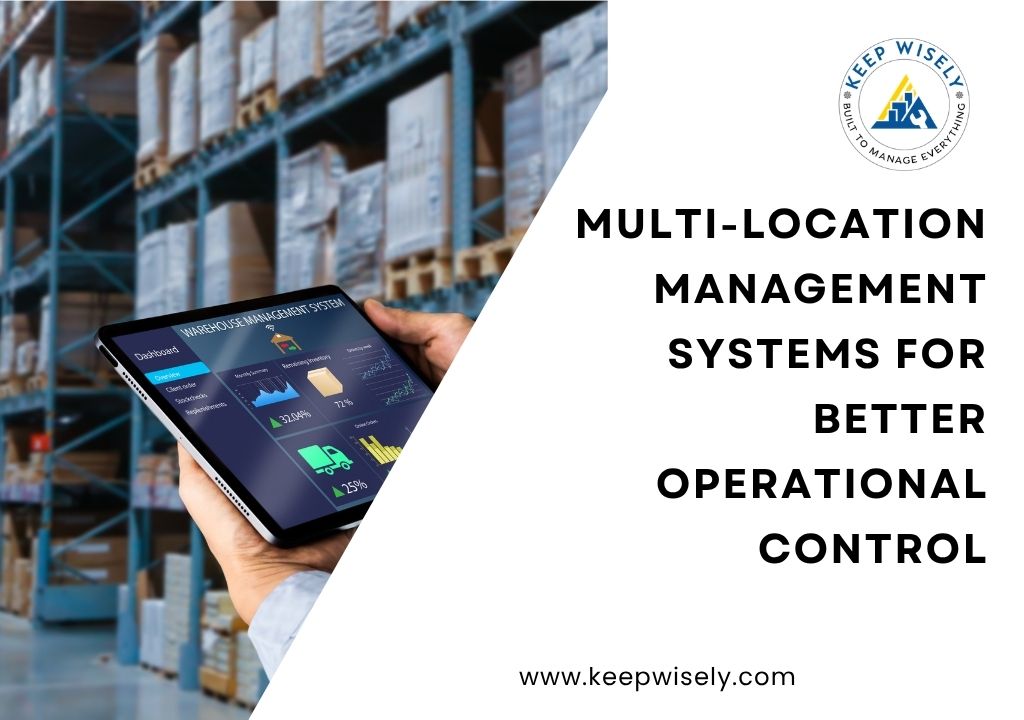
A multi-location management system is software that lets organizations monitor, control, and coordinate operations across two or more sites from a single dashboard. It consolidates asset tracking, maintenance scheduling, work orders, and reporting so managers can see what is happening at every location in real time, without switching between spreadsheets or visiting each site.
Managing operations across multiple sites creates problems that grow faster than the sites themselves. Assets go untracked, work orders pile up without owners, and teams in different locations work from conflicting information. This guide covers what multi-location management systems do, how they work, and what to look for if you are evaluating one in 2026.
In This Article
- What Is a Multi-Location Management System?
- Why Multi-Location Management Matters in 2026
- How Multi-Location Management Systems Work
- Key Features to Look For
- Step-by-Step: Implementing a Multi-Location System
- Common Mistakes to Avoid
- Real-World Benefits: What Organizations See
- Frequently Asked Questions
What Is a Multi-Location Management System?
A multi-location management system is a centralized platform that connects all your sites into one operational view. Instead of logging into separate tools for each facility, you get a single dashboard where you can track assets, assign work orders, schedule [Internal Link: preventive maintenance software], and generate reports across every location your organization operates.
These platforms serve industries like manufacturing, property management, logistics, healthcare, and energy. Any organization running more than one physical site and needing consistent oversight benefits from this approach.
Key Takeaway: One system, many locations, full visibility. That is the core promise of a multi-location management platform.
Why Multi-Location Management Matters in 2026
According to McKinsey, organizations with centralized operations platforms see 20 to 30 percent improvements in key performance metrics across distributed sites. [External Link: McKinsey operations report]. The reasons behind those numbers are practical:
- Distributed teams make inconsistent decisions when they lack shared data
- Reactive maintenance at remote sites costs 3 to 5 times more than planned maintenance
- Regulatory compliance demands auditable records at every location
- Executive teams cannot allocate budgets effectively without site-level performance data
Without a centralized system, managers spend more time collecting information than acting on it. In 2026, with labor shortages and rising operational costs, that waste is difficult to justify.
Key Takeaways
- Centralized data eliminates the inconsistencies that come from site-by-site spreadsheets
- Reactive maintenance at remote locations costs significantly more than planned work
- Compliance and budget decisions require site-level visibility that disconnected tools cannot provide
How Multi-Location Management Systems Work
These platforms operate on three functional layers:
- Data collection. Sensors, mobile apps, and manual entries feed asset status, work order updates, and condition data from each site into the system.
- Centralized processing. The platform aggregates data across locations, applies rules like escalation thresholds and maintenance triggers, and organizes it by site, asset type, or priority level.
- Action and reporting. Managers assign work, approve requests, and pull comparative reports across all sites from one interface.
The result: a facility manager in Houston can see the same real-time asset status as their counterpart in Chicago, and the VP of Operations can compare uptime metrics across all twelve sites on a single screen.
Pro Tip: The best multi-location systems let you set different rules per site while keeping reporting unified. That balance of local flexibility and central oversight is what makes them work.
Key Features to Look For
Not every location management software platform handles multi-site operations well. Here is what matters most:
| Feature | What It Does | Why It Matters |
|---|---|---|
| Centralized dashboard | Single view across all sites | Eliminates context-switching |
| Role-based access | Different permissions per location or team | Maintains security and accountability |
| Cross-site reporting | Compare metrics across locations | Reveals underperforming sites |
| Asset registry | Unified catalog of all assets by location | Prevents duplication and loss |
| Work order management | Create, assign, and track work orders | Ensures nothing gets missed |
| Mobile access | Field teams update status from any site | Improves data accuracy and speed |
| Preventive maintenance | Automated scheduling across locations | Reduces costly breakdowns |
Platforms like Keep Wisely include all of these capabilities out of the box, which means you do not need to stitch together separate tools for each function. [Internal Link: CMMS features guide]
Step-by-Step: Implementing a Multi-Location System
Rolling out a site management platform across multiple locations works best when you follow a structured process. Skipping steps leads to data problems and adoption failures.
- Audit your current tools and processes at each site. Document what each location uses for asset tracking, maintenance, and reporting. Note where data lives, who owns it, and where gaps exist.
- Define your data standards. Decide on naming conventions, asset categories, and status definitions that all sites will follow. Consistency at this stage prevents confusion later.
- Choose a platform that supports your scale. Consider how many sites, assets, and users you need to manage. Keep Wisely handles multi-site setups without custom configuration.
- Migrate your data. Import asset registries, maintenance histories, and open work orders into the new system. Clean data before migration; do not carry old problems into a new platform.
- Train your teams. Each site needs at least one power user who can onboard others and enforce new processes.
- Roll out in phases. Start with two or three sites, validate the data, then expand. A phased rollout catches configuration problems before they spread.
- Review and optimize. After 90 days, compare performance across live sites. Adjust workflows, reporting, and access as needed.
Warning: Skipping the data audit is the most common implementation mistake. Moving messy data into a new system just creates messy data in a new place. Take the time to clean it first.
Common Mistakes to Avoid
Even with the right platform, organizations stumble on the same issues repeatedly:
- Skipping the data audit. Dirty data in your old system becomes dirty data in your new one. Always clean before migrating.
- Giving everyone admin access. Role-based permissions exist for a reason. Use them from day one to prevent unauthorized changes and audit trail gaps.
- Launching all sites at once. A phased rollout starting with two or three locations catches configuration problems before they spread across your entire organization.
- Ignoring mobile adoption. If field teams cannot update the system from their phones, they will not use it. Mobile access is not optional for distributed teams.
- Measuring too many KPIs. Pick three to five metrics that matter most and track those consistently before adding more. Data overload defeats the purpose of visibility.
Real-World Benefits: What Organizations See
Organizations that implement multi-location management systems report measurable improvements within the first year:
- 25 to 40 percent reduction in unplanned downtime through centralized preventive maintenance scheduling. When maintenance triggers fire automatically across all sites, equipment failures drop. [Internal Link: work order management]
- 15 to 30 percent faster response times on work orders when site managers have real-time visibility. Problems get assigned and tracked instead of falling through the cracks between locations.
- Improved audit readiness. Compliance documentation is organized per location and accessible on demand. Inspectors and auditors no longer trigger week-long scrambles.
- Better capital allocation. Executive teams see which sites need investment and which are performing well. Budget decisions shift from guesswork to evidence.
These gains compound over time. The first year typically delivers quick wins from standardization. By year two and three, organizations see strategic benefits like cross-site benchmarking and predictive maintenance. According to Deloitte, companies that standardize operations across locations achieve 2.5 times faster scaling of improvements compared to those managing each site independently. [External Link: Deloitte operations study]
Key Takeaways
- Unplanned downtime drops 25 to 40 percent with centralized maintenance scheduling
- Work order response improves by 15 to 30 percent when site managers have real-time data
- Standardized operations scale improvements 2.5 times faster than site-by-site management
Frequently Asked Questions
Take Control of Your Multi-Site Operations
Multi-location management systems solve the core problem of distributed operations: you cannot manage what you cannot see. By centralizing asset data, work orders, and maintenance schedules across every site, these systems give operations teams the visibility and control they need to reduce downtime, cut costs, and stay compliant.
The organizations that see the best results are the ones that start with clean data, roll out in phases, and commit to using a single platform rather than patching together disconnected tools. The math is clear: centralized management saves time, reduces errors, and scales without the growing pains that come from managing each site in isolation.
Keep Wisely is built for organizations that need one system across many locations, with real-time dashboards, cross-site reporting, and mobile access for every team member. Start your free 30-day trial at keepwisely.com and see how centralized management transforms your multi-site operations.